28-02-2025
Citizen Panels
My first big project that I had to make in team for an actual company
- .NET
- C#
- Entity Framework Core
- PostgreSQL
About this project
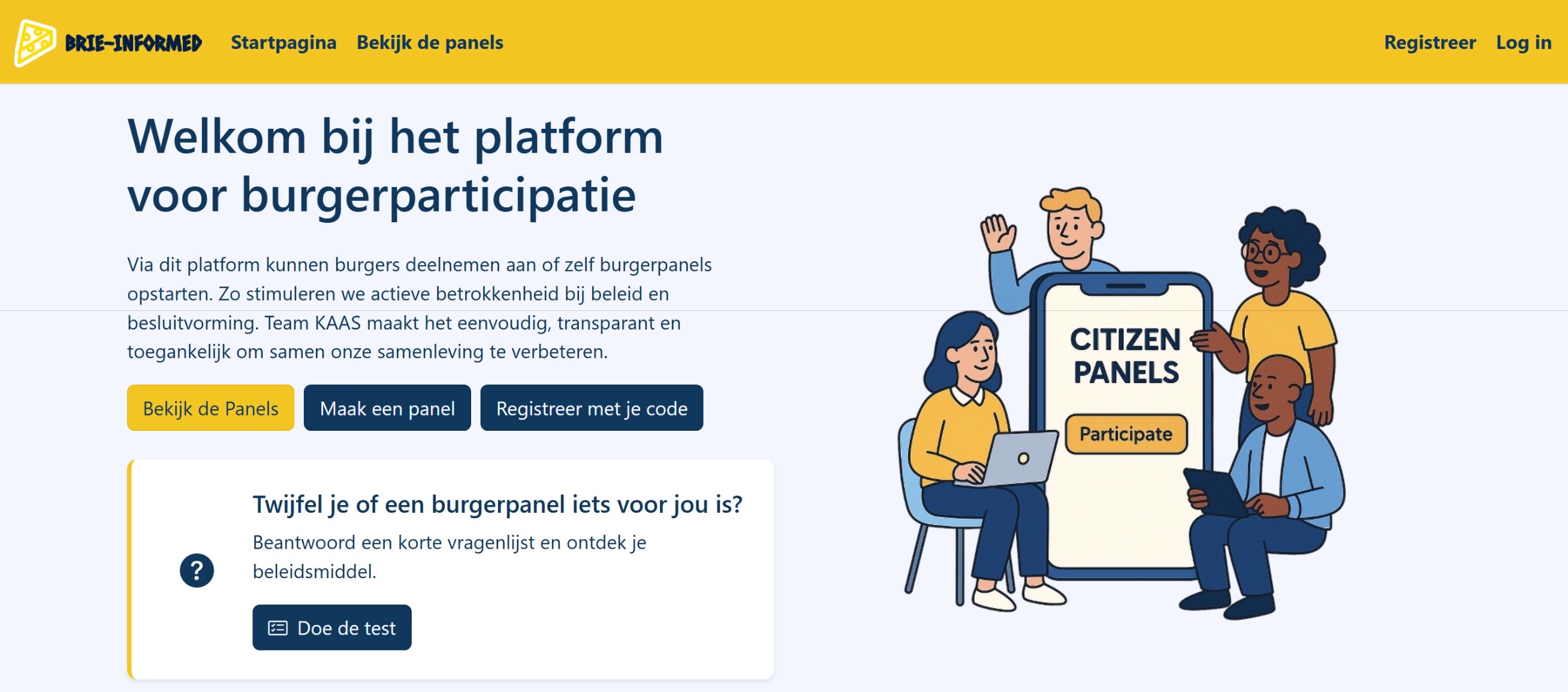
CitizenPanels is a web app our team of four built for our project. It lets citizens take part in local decisions. Basically, an organization (like a city council) can create a "panel," invite citizens to join, ask them questions through questionnaires, and let them vote on proposals. It was made by myself together with three other great team members which I was happy to work with:
How it works
The basic flow:
- An organization (like a city council) creates a "panel" about a specific topic (e.g., "How can we make our city center safer for cyclists?")
- They invite citizens to join this panel
- Citizens fill out questionnaires to share their opinions
- The panel discusses proposals and votes on them
- The results get shared back to the organization
Basically, it's a digital version of a town hall meeting where everything happens online.
Tech stack
We went with a pretty standard but solid stack for this:
- Backend: ASP.NET Core MVC (C#)
- Database: PostgreSQL
- ORM: Entity Framework Core
- Frontend: Razor views + Bootstrap + JavaScript The project is split into four main folders:
CitizenPanels/
├── BL/           # Business Logic Layer
├── DAL/          # Data Access Layer
├── UI-MVC/       # Presentation Layer
└── Domain/       # Domain Models
Architecture
We tried to keep things organized by using a layered architecture instead of just dumping everything into the controllers:
- Domain Layer: all the entity classes (Panel, Questionnaire, User, etc.)
- Data Access Layer (DAL): handles talking to the database, using the repository pattern
- Business Logic Layer (BL): where the actual rules and logic live
- Presentation Layer: the MVC part that the user actually sees
This is a structure we learned at school and right now was the moment to put it into practice. It made the code way easier to navigate once the project grew and made it a lot simpler to split up the work between the four of us.
Main features
1 - Creating and managing panels
This is really the core of the app. We made a PanelManager and a PanelSelectionManager to handle creating panels and picking who gets to join them.
public async Task<Panel> AddPanel(string name, string topic, RegisteredUser user, string geoCode)
{
    var districts = await _pinCManager.GetDistrictsAsync();
    var districtOption = districts.SingleOrDefault(d => d.Code == geoCode);

    var panel = new Panel
    {
        PanelName = name,
        PanelTopic = topic,
        PanelOwner = user,
        GeoCode = geoCode,
        District = districtOption.Name,
        LotteryCompleted = false
    };

    Validator.ValidateObject(panel, new ValidationContext(panel));
    var createdPanel = _panelRepository.CreatePanel(panel);
    await _unitOfWork.SaveChangesAsync();

    return createdPanel;
}
2 - Questionnaires
This part turned out more complex than we expected. There are two kinds of questionnaires:
- Group questionnaires: for panels that have subgroups
- Suggestion questionnaires: used to recommend policy measures based on people's answers
The
QuestionnaireManagerdoes all the CRUD stuff, but the interesting bit is the logic that matches someone's answers to the best-fitting suggestion:
public Suggestion GetBestMatchingSuggestion(long questionnaireId, List<long> selectedAnswerIds)
{
    var suggestions = _unitOfWork.QuestionnaireRepository
        .ReadSuggestionsWithLinksByQuestionnaire(questionnaireId);

    Suggestion bestSuggestion = null;
    int maxMatchCount = 0;

    foreach (var suggestion in suggestions)
    {
        // If one of the answers is a "break" answer, return immediately
        foreach (var link in suggestion.AnswerSuggestionLinks)
        {
            if (selectedAnswerIds.Contains(link.AnswerId) && GetIsBreakAnswer(link.AnswerId))
            {
                return suggestion;
            }
        }

        // Otherwise, just count how many answers match
        var matchCount = suggestion.AnswerSuggestionLinks
            .Count(link => selectedAnswerIds.Contains(link.AnswerId));

        if (matchCount > maxMatchCount)
        {
            maxMatchCount = matchCount;
            bestSuggestion = suggestion;
        }
    }

    return bestSuggestion;
}
3 - Selecting panel members with OR-Tools
Okay so this part was actually pretty hard to do. Imagine you have 100 people who want to join a panel about traffic safety, but you only have room for 40. And on top of that, you need to make sure you have a good mix of people. Like, you want 50% from the city center, 30% from the suburbs, and 20% from the industrial zone. Plus maybe you want certain age groups represented too.
That's already pretty complicated to solve manually. If you just randomly pick 40 people, you might end up with too many from one area and not enough from another. You could try to do it manually, but that would take forever and you'd probably mess it up anyway.
To solve this problem we used this library called Google OR-Tools. It's literally made for solving problems like this. You tell it "here are all my people, here are the rules I need to follow, and here's how many people I need" and it figures out the best combination for you.
This is how we implemented in the code:
private PanelSelectionResult SelectUncrossedPanel(List<RegisteredUser> users, int targetSize, Dictionary<string, double> subgroupTargets)
{
    var model = new CpModel();
    var solver = new CpSolver();

    // One boolean variable per user: are they selected or not
    var userVars = users.ToDictionary(u => u.Id, u => model.NewBoolVar($"user_{u.Id}"));

    // We need to select exactly targetSize people
    model.Add(LinearExpr.Sum(userVars.Values) == targetSize);

    // Each subgroup needs to hit its quota
    foreach (var (subgroupName, fraction) in subgroupTargets)
    {
        int requiredCount = (int)Math.Round(targetSize * fraction);
        var matchingUsers = users
            .Where(u => u.SubgroupsOfRegisteredUser.Any(s =>
                string.Equals(s.Name, subgroupName, StringComparison.OrdinalIgnoreCase)))
            .ToList();

        if (matchingUsers.Any())
        {
            var matchingVars = matchingUsers.Select(u => userVars[u.Id]);
            model.Add(LinearExpr.Sum(matchingVars) == requiredCount);
        }
    }

    var status = solver.Solve(model);
    // ... build and return the result from the solved model
}
None of us had worked with something like this before, so this took some trial and error and a lot of working together to figure it out, but it was an interesting problem to dig into as a group.
4 - Voting
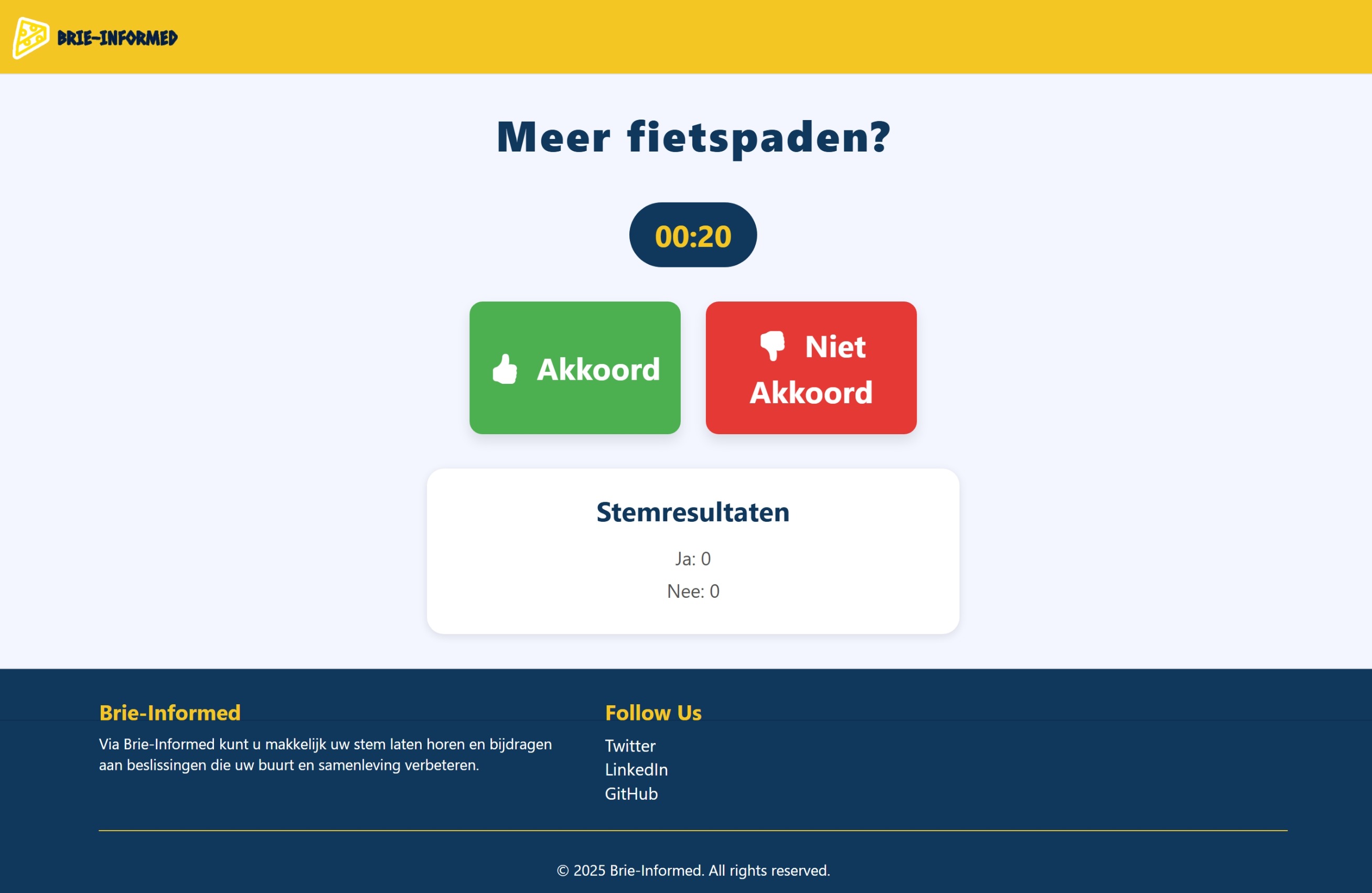
Once a panel comes up with recommendations, members can vote yes or no on them. Nothing too fancy here, just a simple majority system with a check to stop people from voting twice:
public bool RegisterVote(long recommendationId, string userId, bool voteYes)
{
    var recommendation = _recommendationManager.GetRecommendationWithUserVotes(recommendationId);

    if (recommendation.UserVotes.Any(v => v.UserId == userId))
        return false; // already voted

    var vote = new UserVote
    {
        UserId = userId,
        VoteYes = voteYes,
        RecommendationId = recommendationId
    };

    _unitOfWork.VotingRepository.CreateUserVote(vote);

    var key = voteYes ? "yes" : "no";
    recommendation.VoteSummary[key]++;

    _unitOfWork.SaveChanges();
    return true;
}
5 - Editable homepage
Admins can edit the homepage without touching any code, adding text or media sections wherever they want. I presonally built a small HomepageManager for this with content sections that could be added.
public SectionContent AddContent(long pageSectionId, string contentType)
{
    PageSection pageSection = GetPageSection(pageSectionId);

    SectionContent newContent = contentType.ToLower() switch
    {
        "text" => new TextContent { Title = "", Description = "", ContentType = "Text" },
        "media" => new MediaContent { ImageUrl = "", VideoUrl = "", Caption = "", ContentType = "Media" },
        _ => throw new ArgumentException("Unsupported content type")
    };

    pageSection.SectionContents.Add(newContent);
    _unitOfWork.SaveChanges();

    return newContent;
}
On the frontend, sections are rendered with partial views so admins get an editable version and regular visitors get a read-only one:
<div id="page-sections-container" class="pagesections-draggable">
    @foreach (var pageSection in Model.PageSections)
    {
        @if (Model.IsAdmin)
        {
            <div class="pageSection-wrapper pagesection-contents-draggable">
                @await Html.PartialAsync("./Editors/_PageSectionEditorPartial", pageSection)
            </div>
        }
        else
        {
            @await Html.PartialAsync("_PageSectionPartial", pageSection)
        }
    }
</div>
Database
The main entities in the database are:
- Panels: the container for a whole participation project
- RegisteredUsers: accounts with different roles
- Questionnaires: questions, answers, and the suggestions linked to them
- PageSections: the dynamic homepage content
- Recommendations: the proposals people vote on
Here's a simplified version of the Panel entity:
public class Panel
{
    public long PanelId { get; set; }
    public string PanelName { get; set; }
    public string PanelTopic { get; set; }
    public string GeoCode { get; set; }
    public bool LotteryCompleted { get; set; }

    public RegisteredUser PanelOwner { get; set; }
    public ICollection<PanelMember> ParticipatingUsersOfPanel { get; set; }
    public ICollection<Subgroup> SubgroupsOfPanel { get; set; }
    public ICollection<Recommendation> RecommendationsOfPanel { get; set; }
}
Users and roles
We used ASP.NET Core Identity to handle logging in and permissions. There are four roles:
- Admin: manages the whole platform
- OrganisationHead: manages their own organization's panels
- PanelMember: takes part in a panel
- RegisteredUser: a normal account without extra permissions yet
Sessions and caching are handled with Redis, and we used ASP.NET's Data Protection for securing sensitive data.
How we worked as a team
Our team had four people with different strengths. One person focused more on AI and another handled ISB and networking, so they mostly took care of deployment stuff like setting up the server, configuring Redis, and making sure everything ran smoothly in production.
The rest of us were the main application developers and actually built the features. We split up the coding work between us, with some focusing on backend logic and others on the frontend. We used Git for version control and regularly reviewed each other's pull requests, which helped everyone stay familiar with the codebase even if they hadn't written that specific part themselves. It wasn't always perfectly organized and we definitely had our moments of confusion, but overall it worked out pretty well for a school project.
I got to say, I learend a lot about git and gitlab during this project since I was usually the deticated person to solve the merge conflicts and merge requests. I'm still very happy about that because that is actually super usefull for any other project.
What I learned
This was my first big project I worked on with a team so I definitly picked up a lot:
- How to structure a fairly large app into clear layers instead of one big mess
- Designing a database with a lot of interconnected entities
- Handling different user roles and permissions properly
- Building interfaces that make sense for different kinds of users (admins vs regular citizens)
- Working together as a team on a shared codebase: dividing tasks, reviewing each other's code, and keeping everything consistent
- Working with Agile Scrum: we had sprint planning sessions, daily stand-ups and retrospectives