07-09-2026
Memory game
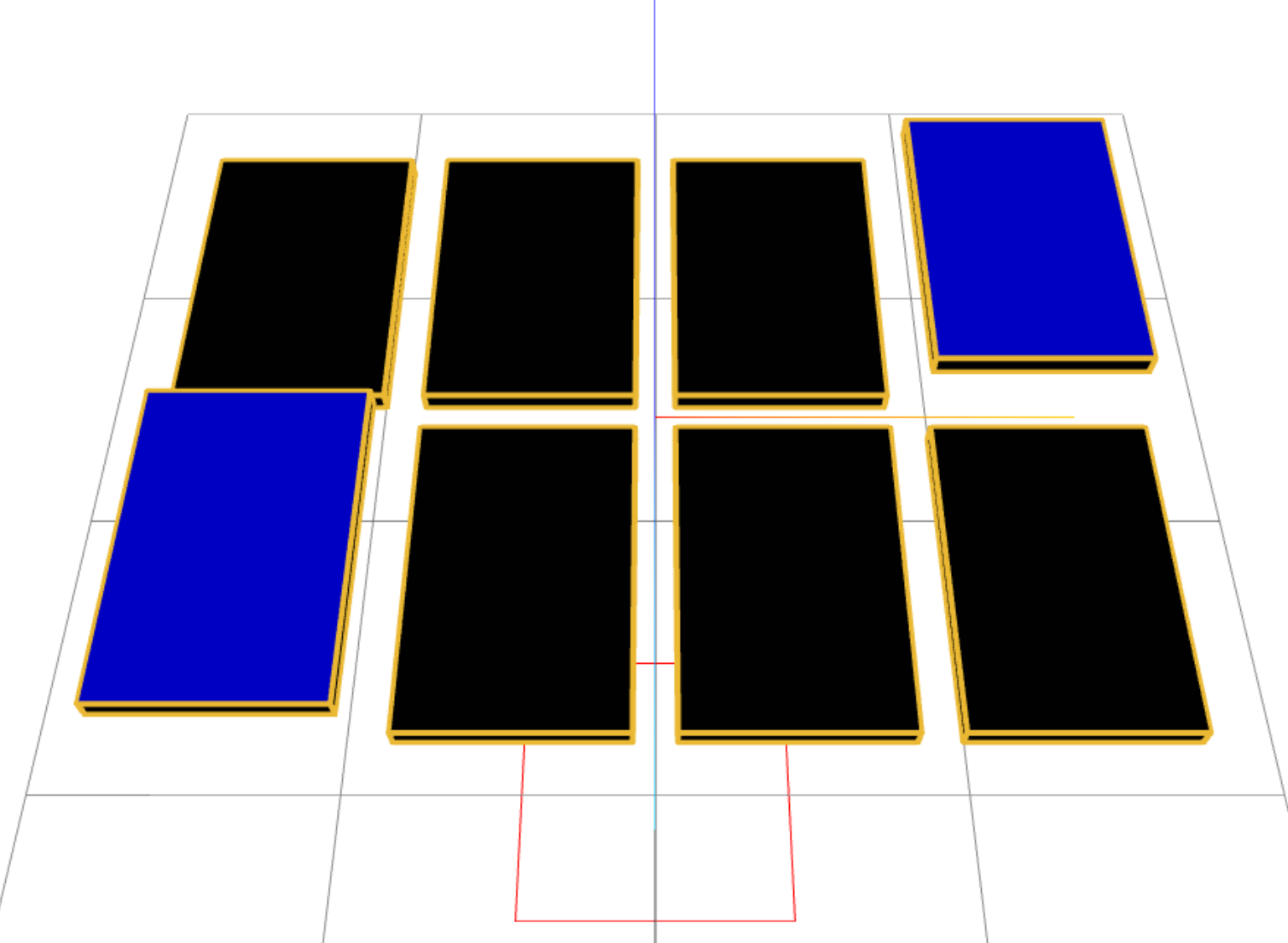
To imrpove my three.js skilles I made a small memory game using 3D card models.
- Three.js
- React
- GSAP
About this project
I made this memory game to practice Three.js and get more comfortable with 3D stuff in the browser. It's a simple card matching game, nothing crazy, but it was a good excuse to mess around with React Three Fiber and GSAP for the flip animations.
The whole idea started when I wanted to move beyond just making static 3D scenes and actually build something interactive. A memory game felt like the perfect fit because it's simple enough to wrap your head around, but gives your room to play with animations, state management and 3D interactions.
How it works
You click on a card, it flips up with a nice animation, click another one and if the colors match they stay flipped. If not they flip back down after a short delay. Basic memory game rules really, just in 3D instead of flat images.
The game generates a random set of colored cards each time you load the page. It picks a few random colors from a list, creates pairs for each color, shuffles them all up and lays them out in a grid. The positioning logic calculates where each card should go based on how many cards there are and how much space they need.
The tech stack
Here's what I used to build this:
1 - React Three Fiber
This is basically the React wrapper for Three.js. It lets your write 3D scenes using React components, which feels way more natural than writing raw Three.js code. The whole scene, camera, lighting and even the cards themselves are all React components that get rendered to the canvas.
2 - Zustand for state management
I used Zustand to handle all the game state. It's super lightweight compared to something like Redux and works really well with React. The store keeps track of the cards, which one are selected, flipped and matched. Every time a card is clicked, the state updates and the UI re-renders to reflect the changes.
3 - GSAP for animations
GSAP is what powers the card flip animations. When you click a card, a GSAP timeline runs that moves the card up slightly and rotates it at the same time. The timeline approach is nice because you can sequence or overlap animations easily. I ended up with two seperate animations, one for flipping up and one for flipping down.
Here are the actuall flip animations:
export function flipCardUp2(meshRef: any) {
    const tl = gsap.timeline()

    tl.to(meshRef.current.position, {
        y: 0.3,
        duration: 0.4,
        ease: 'power2.out',
    })

    tl.to(
        meshRef.current.rotation,
        {
            z: -Math.PI,
            duration: 0.4,
            ease: 'back.out(0.5)',
        },
        '-=0.1'
    )
}
Mind you the name is called 'flipCardUp2' just because I was testing some stuff out and I wanted to also keep my original 'flipCardUp' animation. This will eventually just become one 'flipCardUp' function.
Game Logic
When two cards are selected, the game needs to check if they match, wait a momemnt so you can actually see both cards, then either keep them flipped or flip them back.
The matching is handled by comparing the color property of both cards. If they match, both cards get marked as matched and stay visible. If they don't, the animation plays in reverse and they flip back down.
I had to be careful with timing here. If the flip-back animation triggerss too fast, you don't get a chance to see the second card. I added a 800ms delay before checking the match result, which gives enough time for the cards to be visible before they either stay up or flip back down.
useEffect(() => {
        const handleMatching = async () => {
            // If there aren't two cards selected then don't do anything
            if (selectedCardIds.length !== 2) return

            // If two cards have been selected, check if they match
            const [id1, id2] = selectedCardIds
            const isMatch = checkMatch(cards, id1, id2)
            await delay(800)

            // if they match, put them as matched to keep them up and clear the
            // selected cards from the array
            if (isMatch) {
                matchCard(id1)
                matchCard(id2)
                clearSelectedCardIds()
            // Else if they don't match, I need to get the mesh refs to flip
            // them back down and also clear the selected cards array
            } else {
                const meshRef1 = meshRefs.current[id1]
                const meshRef2 = meshRefs.current[id2]

                if (meshRef1) {
                    flipCardDown2({ current: meshRef1 })
                }
                if (meshRef2) {
                    flipCardDown2({ current: meshRef2 })
                }
                flipCard(id1)
                flipCard(id2)
                clearSelectedCardIds()
            }
        }
        handleMatching()
    }, [selectedCardIds])
The card models
Right now the card models are just simple box geometries with colored faces. Each card has six faces: the top face shows the actual color and the rest are black. When the card flips, the colored face becomes visible. It's very simple but it works.
The plan was actually to improve these models later. That's exactly what I did. I went into blender and figured out how to use it to create some simple card models. I looked up some card designs from Pinterest, create a small Pinterest board of things I liked and went into blender to create the models. They actually turned out pretty good, I was happy with them.
Unfortunately because of my own stupidity I lost the models I made. The reason for this was because I was switching Linux distros a lot at this time and I didn't properly back up my files. Lesson learned the hard way.
Camera controls
I added Orbit Controls so you can rotate the view around the game board. It's not necessary for the gameplay but I wanted to make use of the 3D aspect.
I wanted to keep the camera positioned, so the board is nicely centered and visible without having to adjust it manually. That's why I positioned it at [0, 6, 4] to give a slight overhead view of the board.
What I'd like to add next
- Better card models (once I remake them in blender).
- A win screen when all pairs are matched, maybe with confetti or something.
- Sound effects for flips, matches and mismatches.
- A difficulty setting (more pairs = harder)