22-04-2026
Shooter Game
Building a simple 3D shooter game using Three.js and React Three Fiber.
- Next.js
- React Three Fiber
- Deno
- Zustand
About this project
So, here's the thing before this project me and my teammate, Kaj Botty made a campus locator app. You can read more about it on my website. We originally planned to expand our Campus Locator app into a multiplayer racing game where users would race to random iO campuses. But after some brainstorming, we decided to scrap that idea and build something completely new instead.
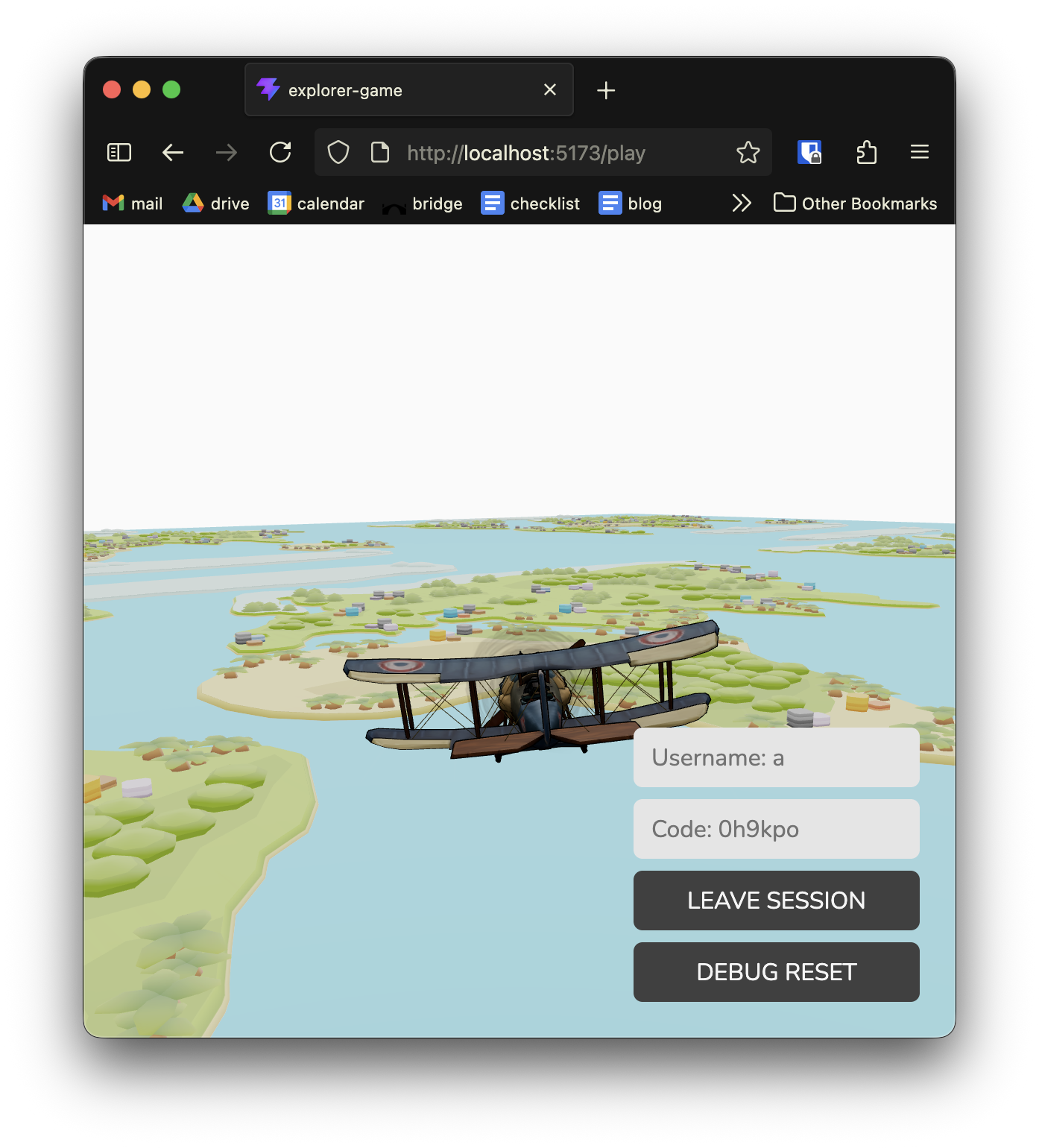
What we ended up with is a 3D multiplayer game where you fly around in planes and shoot other players out of the sky.
How it works
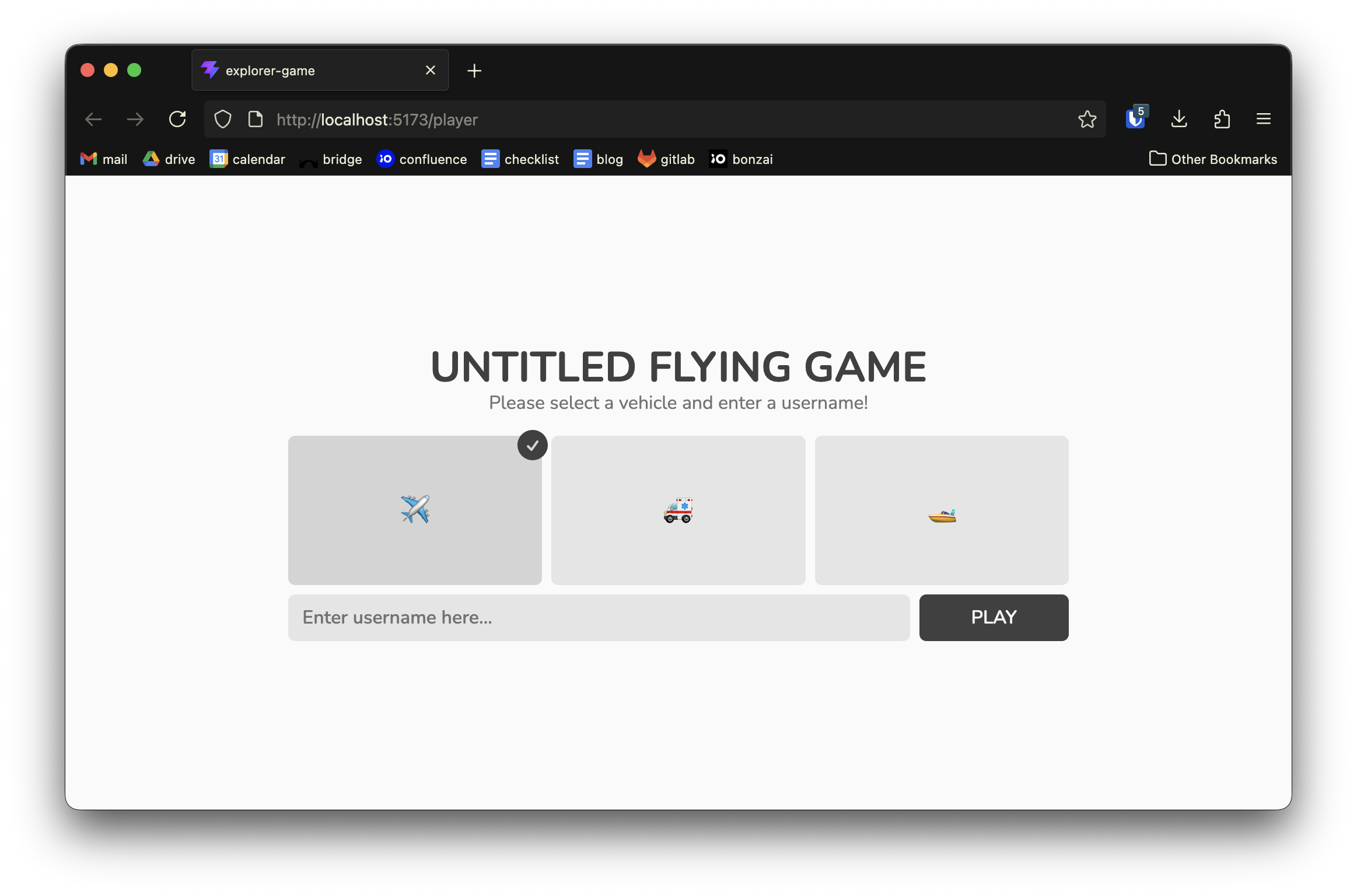
You start by logging in with a username and picking your vehicle (plane, ambulance or boat). Then you either create a session or join one using a unique 6-character code. Once you're in, you fly around a 3D world and try to shoot other players. When you hit someone, they get eliminated and respawn somewhere away from you.
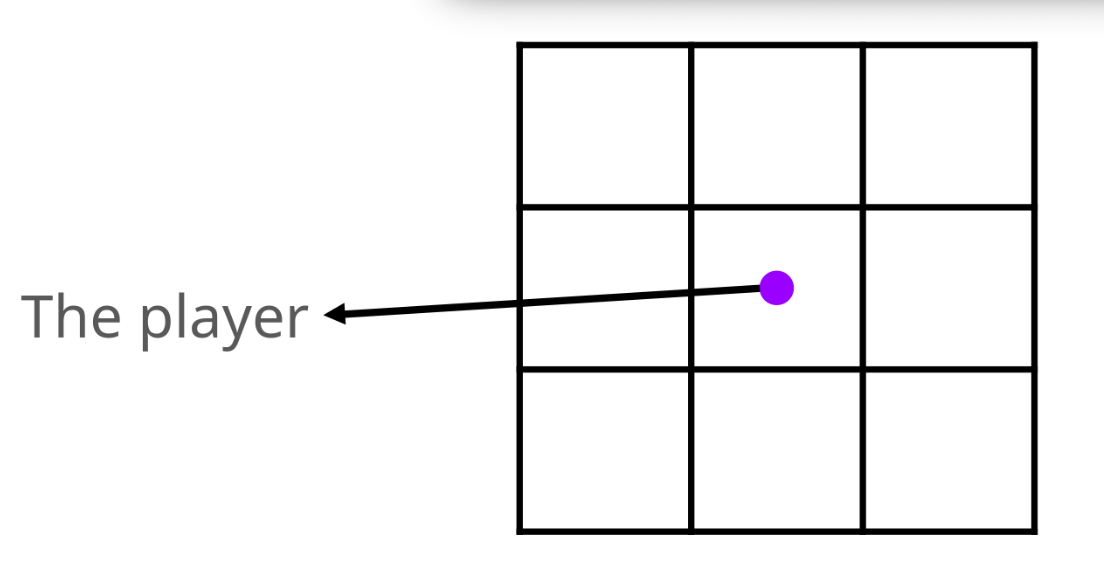
The map gives the illusion of an infinite world by using a tile-based system. We load a 3x3 grid of map tiles that follow your position, so it always looks like you're in the center of a massive world.
The tech stack
Here's what we used to build this:
1 - Deno with Oak for the backend
My teammate mostly worked on the backend with Deno, and honestly. Deno is basically a modern runtime for JavaScript and TypeScript, kind of like Node.js but with built-in TypeScript support and better security.
We used Oak, which is Deno's HTTP framework (similar to Express for Node.js). It made building CRUD operations and a layered architecture easier:
router.get("/sessions/:id", async (context) => {
    const session = await getSession(context.params.id as SessionId);
    context.response.status = 200;
    context.response.body = from(session);
});
2 - PostgreSQL for data storage
We used PostgreSQL to store players, sessions, and which players belong to which sessions. CRUD operations were simple to implement, and the database handled all the relationships between entities.
3 - WebSockets for real-time multiplayer
We needed to sync player positions and projectiles in real-time across all connected clients. The server broadcasts location updates to everyone in the session:
export async function sendToSession(session: SessionId) {
    const players: Player[] = await getAllBySession(session);
    const locations = findAll(players.map((p) => p.id));

    const enriched = locations.map(([playerId, location]) => {
        const player = players.find((p) => p.id === playerId)!;
        return from(player, location);
    });

    players.forEach((player) => sendToPlayer(player.id, Type.LOCATION, enriched));
}
Each client sends their position to the server, and the server broadcasts that to all other players in the same session. This allowed you to see other players and their movements. We use the same for the projectiles although that projectile position only needed to be provided onces and the trajectory of it could then be calculated on the other players' computer. This way they simulate the projectile themselves. It doesn't constantly get updated like player positions do.
4 - React Three Fiber for 3D
We used React Three Fiber again for the 3D rendering. Players are represented as 3D models (planes, ambulances, boats) that move around the map. Projectiles are simple spheres that fly through the scene.
Here's how we handle the other players:
useFrame((_, delta) => updatePositions(delta));

export default function OtherPlayers() {
    const playerIds = useOtherPlayerStore(
        useShallow((state) => Object.keys(state.players) as PlayerId[])
    );

    return (
        <>
            {playerIds.map((id) => (
                <OtherVehicle key={id} id={id} vehicle={Vehicle.PLANE} setRef={setRef} />
            ))}
        </>
    );
}
5 - Zustand for state management
We used Zustand for almost all the state management. We had stores for:
- The current player
- The session
- Other players in the session
- Projectiles (both your own and others')
- Vehicle position
- Explosions
Here's the projectile store that handles your own projectiles:
export const useProjectileStore = create<ProjectileStore>((set) => ({
    projectiles: [],
    charge: 0,

    setCharge: (charge) => set({ charge }),

    addProjectile: ({ position, direction }) =>
        set((state) => ({
            projectiles: [
                ...state.projectiles,
                { id: nextId++, position, direction, age: 0 },
            ],
        })),

    updateProjectiles: (delta) =>
        set((state) => ({
            projectiles: processProjectiles(state.projectiles, delta),
        })),
}));
How the multiplayer works
Player positions are sent to the server and broadcast to everyone else. When you shoot, a projectile spawns on your screen and also gets sent to the server, which relays it to all other players.
The hit detection happens client-side using raycasting. When a projectile moves, we check if it hits any other player's 3D model:
function checkForHitAndDestroy(
    projectilePos: THREE.Vector3,
    projectileDir: THREE.Vector3,
    stepDistance: number,
    meshes: THREE.Object3D[],
    meshToPlayerId: Map<THREE.Object3D, PlayerId>,
    refs: Map<PlayerId, THREE.Group>
): boolean {
    raycaster.set(projectilePos, projectileDir);
    raycaster.far = stepDistance + HIT_RADIUS;

    const hits = raycaster.intersectObjects(meshes, false);
    if (hits.length > 0) {
        const id = meshToPlayerId.get(hits[0].object);
        if (id !== undefined) {
            useOtherPlayerStore.getState().hitPlayer(id);
            return true;
        }
        return true;
    }
    // ... proximity check
}
If a hit is detected, we notify the server, which eliminates the target player and respawns them a certain distance away from the player that shot them.
Creating the illusion of an infinite world
The map is made from a 3D model that we clone and tile in a 3x3 grid. The tiles follow the player's position, creating the illusion of an infinite world:
useFrame(() => {
    const px = vehiclePos?.x;
    const pz = vehiclePos?.z;

    tileRefs.current.forEach((ref, i) => {
        if (!ref) return;
        const col = (i % GRID) - Math.floor(GRID / 2);
        const row = Math.floor(i / GRID) - Math.floor(GRID / 2);
        ref.position.x = Math.round(px / tileW) * tileW + col * tileW;
        ref.position.z = Math.round(pz / tileD) * tileD + row * tileD;
        ref.position.y = -2;
    });
});
Some fun extra features
There were also a few features we added that weren't exactly that important but they definitely made the game a bit more fun.
Explosions
We were having a lot of fun with this project so we started adding in a bunch of smaller things that make the shooter game a bit more enjoyable. One of those things was a small explosion when you're projectile hits another player. Here is the function that creates the small particle explosion effect:
export function generateParticles(count: number): Particle[] {
    return Array.from({ length: count }, () => ({
        direction: new THREE.Vector3(
            (Math.random() - 0.5) * 2,
            Math.random(),
            (Math.random() - 0.5) * 2,
        ).normalize(),
        speed: SPEED * (0.5 + Math.random()),
        size: 0.1 + Math.random() * 0.2,
    }));
}
The particles fly outward and fade out over time, creating an explosion effect.
Sound effects
We added sound effects for shooting and explosions. Nothing fancy, just basic audio files that play when something happens. We created the sounds ourselves using an 8bit audio generator website named jsfxr:
const shootSound = new Audio('/sounds/shoot.wav');
const hitSound = new Audio('/sounds/explosion.wav');

export const playShootSound = () => {
    shootSound.currentTime = 0;
    shootSound.play().catch(() => {});
};
What I learned
This was very fun project were we had so much freedom to choose our own tools and learn new technologies. Building a multiplayer 3D game from scratch with a custom backend and frontend was challenging, but incredibly enjoyable.
The best part was seeing everything come together: players joining sessions, flying around the map, shooting each other and seeing explosions. Sure, it's not a masterpiece, the code could be cleaner but it works and it's fun.
Overall I learned a bunch about how to use React Three Fiber and three.js and I also got to see how Deno works, which is a tool I hadn't worked with before.